


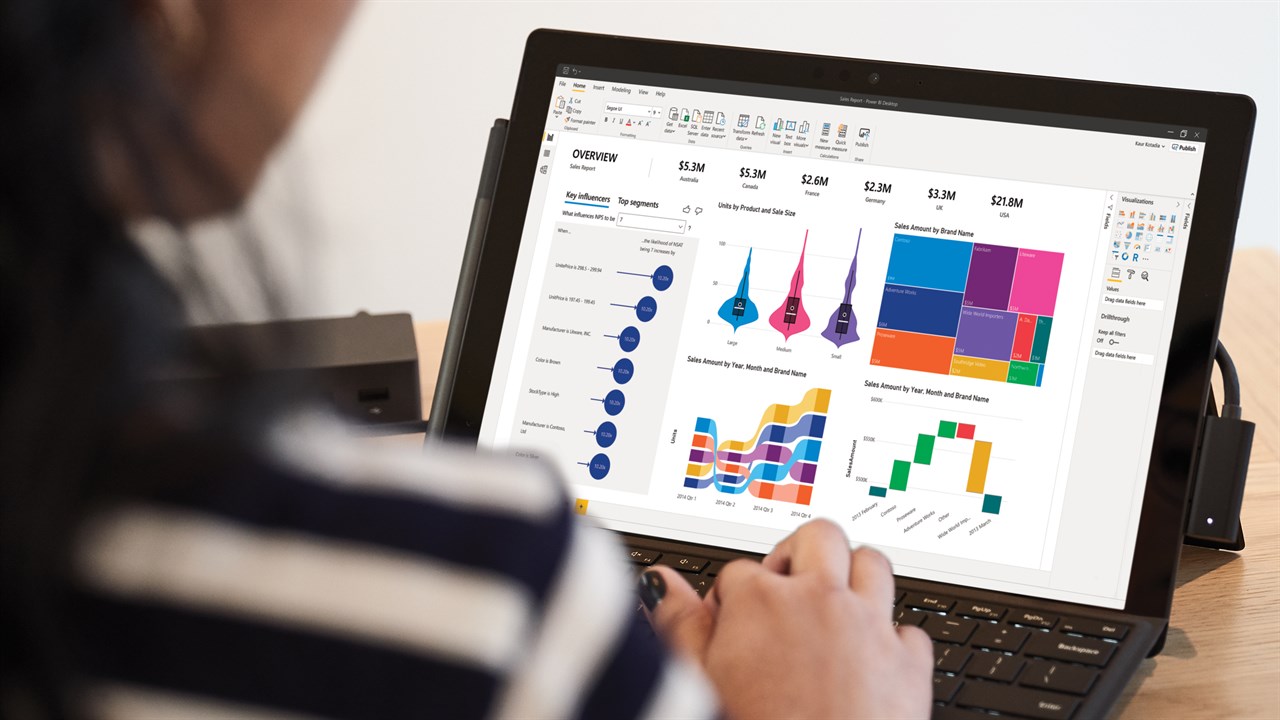
In today’s data-driven landscape, the ability to transform raw numbers into actionable insights is no longer a luxury but a fundamental necessity. For many organizations, Microsoft Power BI has emerged as the quintessential tool for this transformation, acting as a powerful engine for discovery and decision-making. Yet, beneath its unified brand, Power BI presents a crucial duality: Power BI Desktop and Power BI Service. Understanding the distinct roles and synergistic relationship between these two platforms is paramount for anyone looking to harness Power BI’s full potential.
Before we delve into the mechanics, let’s frame the grand ambition of working with data. Data science, at its heart, is akin to an archaeological expedition. You begin with fragmented artifacts disparate datasets, often buried under layers of inefficiency and disorganization. Your task is to meticulously excavate, clean, and reconstruct these pieces, understanding their historical context and interconnections. The ultimate goal isn’t just to unearth fragments, but to piece together a compelling narrative of a lost civilization, presenting its stories, patterns, and prophecies in a way that truly resonates and informs future actions. Power BI Desktop and Service are the advanced tools in this archaeological toolkit, each designed for specific phases of this intricate journey.
Power BI Desktop: The Architect’s Workshop
Imagine a master craftsman’s workshop a space filled with specialized tools, raw materials waiting to be sculpted, and the quiet hum of intense, focused creation. This is the essence of Power BI Desktop. It’s the primary development environment where the heavy lifting of data preparation, modeling, and initial report design takes place. Think of it as your personal studio for crafting data masterpieces.
Here, you connect to multitudinous data sources, from sprawling enterprise databases to humble Excel sheets, often requiring intricate shaping and cleansing. Power Query, the integrated data transformation engine, is your chisel and sander, allowing you to meticulously refine and reshape data. This is where complex data models are built, relationships defined, and sophisticated calculations (DAX) are authored to derive meaningful metrics. For anyone looking to truly master the art of data manipulation and visualization, a comprehensive Data Analyst Course often emphasizes proficiency in Power BI Desktop’s robust features. It’s the ideal environment for individual analysts and developers to experiment, iterate, and build sophisticated visual narratives without the immediate pressure of enterprise-wide distribution.
Power BI Service: The Grand Gallery and Collaboration Hub
Once your data masterpiece is forged in the Desktop workshop, where does it go? It ascends to the Power BI Service, which functions as a grand gallery and a dynamic collaboration hub. This cloud-based platform is where your expertly crafted reports and dashboards are displayed, shared, consumed, and managed across an organization. It’s not just a viewing platform; it’s an interactive space where data comes alive for a broader audience.
The Service facilitates secure sharing through workspaces, allowing teams to collaborate on datasets and reports. Dashboards can be created here, pulling visuals from various reports into a single, executive-level overview. Crucially, the Service handles ongoing data refreshes, ensuring that once your report is published, it continues to display the freshest data automatically. Features like Q&A, Quick Insights, and integration with other Microsoft services elevate the user experience, transforming passive viewing into active engagement. Here, the emphasis shifts from creation to consumption, governance, and organizational impact, making it a critical component for any organization seeking to distribute insights broadly. A dedicated Data Analytics Course often explores the strategic deployment and management of reports within the Power BI Service.
The Synergy: A Dance of Two Halves
Power BI Desktop and Service are not rival tools; they are the two indispensable halves of a complete analytics ecosystem, performing a perfectly choreographed ballet. The typical workflow elegantly illustrates this synergy: you build in Desktop, and you publish to Service.
The Desktop provides the robust, unrestrained environment for creation connecting to diverse data, performing complex transformations, building intricate models, and designing pixel-perfect reports. Once refined and ready for broader consumption, these artifacts are then published to the Service. The Service then takes over, providing the infrastructure for secure sharing, scheduled data refreshes, content organization (workspaces, apps), and mobile access. This division of labor ensures that developers have the powerful tools they need for deep dives and complex logic, while end-users and decision-makers receive curated, reliable, and easily accessible insights. For a truly scalable and governed data solution, one rarely exists without the other.
Making Your Choice: A Strategic Compass
Choosing between (or rather, understanding the optimal use of) Power BI Desktop and Service is about aligning your tools with your purpose. Think of navigating a vast ocean; your choice of vessel depends on your voyage’s purpose. Are you charting new waters (individual exploration and development) or transporting a valuable cargo across continents (enterprise-wide distribution and collaboration)?
For the Individual Explorer/Developer: If your primary goal is personal data analysis, complex data modeling, or developing robust reports before sharing, Power BI Desktop is your command center. Its capabilities for intricate data manipulation and advanced calculations are unparalleled. Continuing your professional development with a specialized Data Analyst Course will hone these essential skills.
For the Enterprise Navigator: If you need to share insights across teams, manage data access, schedule automated refreshes, or provide mobile-friendly dashboards to a broad audience, the Power BI Service is indispensable. It’s the platform that transforms individual analysis into collective intelligence.
For the Comprehensive Strategist: Most organizations will leverage both. The Desktop serves as the creation engine, and the Service acts as the distribution and governance platform. Understanding how to seamlessly transition between these two, ensuring data integrity and accessibility, is a hallmark of effective data strategy. Proficiency in both, often gained through a comprehensive Data Analytics Course, ensures that you can not only build powerful reports but also deploy and manage them effectively for maximum organizational impact.
Conclusion
The Power BI ecosystem offers a remarkably powerful and flexible suite of tools. Power BI Desktop equips the data artisan with everything needed to sculpt raw data into insightful masterpieces, while Power BI Service provides the secure, collaborative gallery for showcasing and disseminating these creations across the enterprise. It’s not a question of choosing one over the other, but rather understanding their distinct strengths and symbiotic relationship. By leveraging both effectively, organizations can move beyond mere data collection to cultivate a truly data-driven culture, empowering every decision with clarity and confidence. The journey from raw data to transformative insight is a continuous one, and with Power BI Desktop and Service as your guides, you’re exceptionally well-equipped to navigate it.
Business Name: ExcelR – Data Science, Data Analyst, Business Analyst Course Training in Delhi
Address: M 130-131, Inside ABL Work Space,Second Floor, Connaught Cir, Connaught Place, New Delhi, Delhi 110001
Phone: 09632156744
Business Email: enquiry@excelr.com